APIs Guide
Goal: Access your warm queries via REST API or MCP.
Your APIs Are Ready
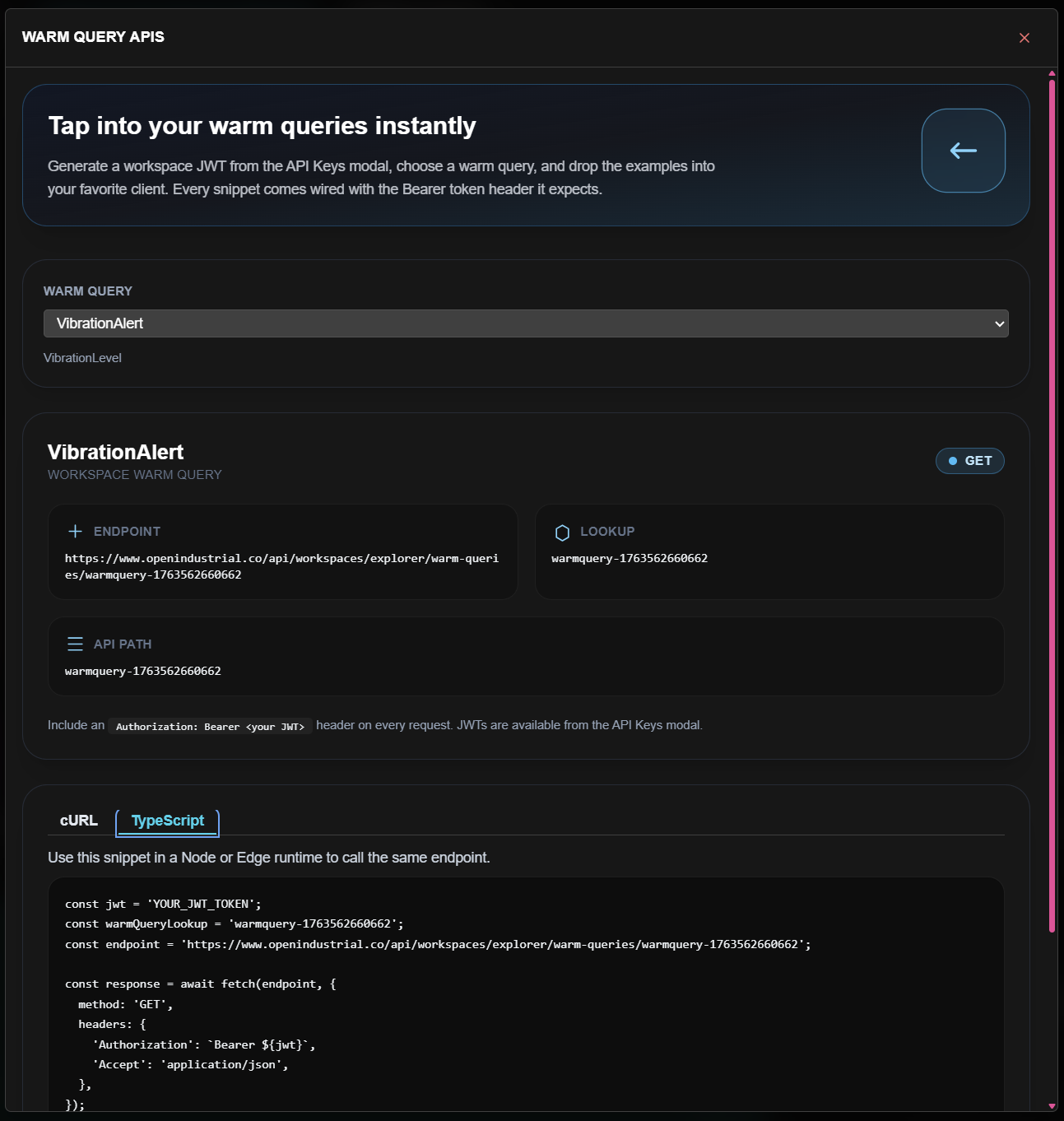
When you create a warm query, an API endpoint is automatically created:
https://www.openindustrial.co/api/workspaces/explorer/warm-queries/[query-id]
Authentication
All API calls require a JWT token.
Get Your Token
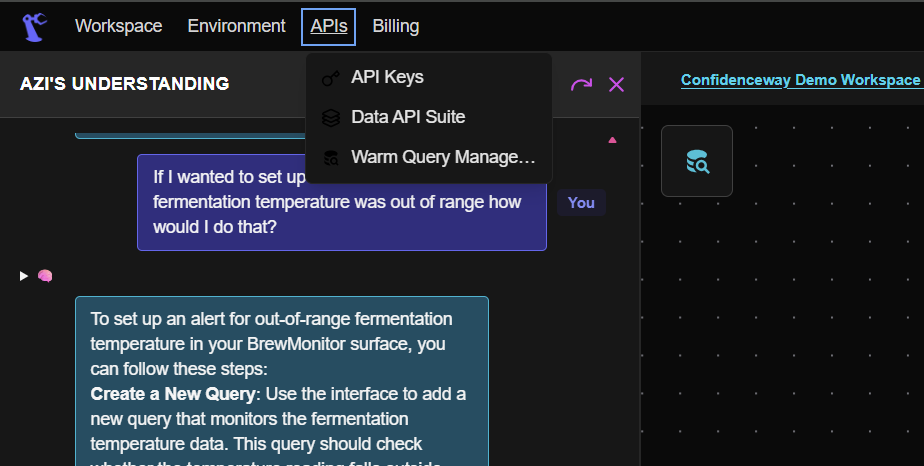
- Open the APIs menu in the AppFrameBar
- Select API Keys
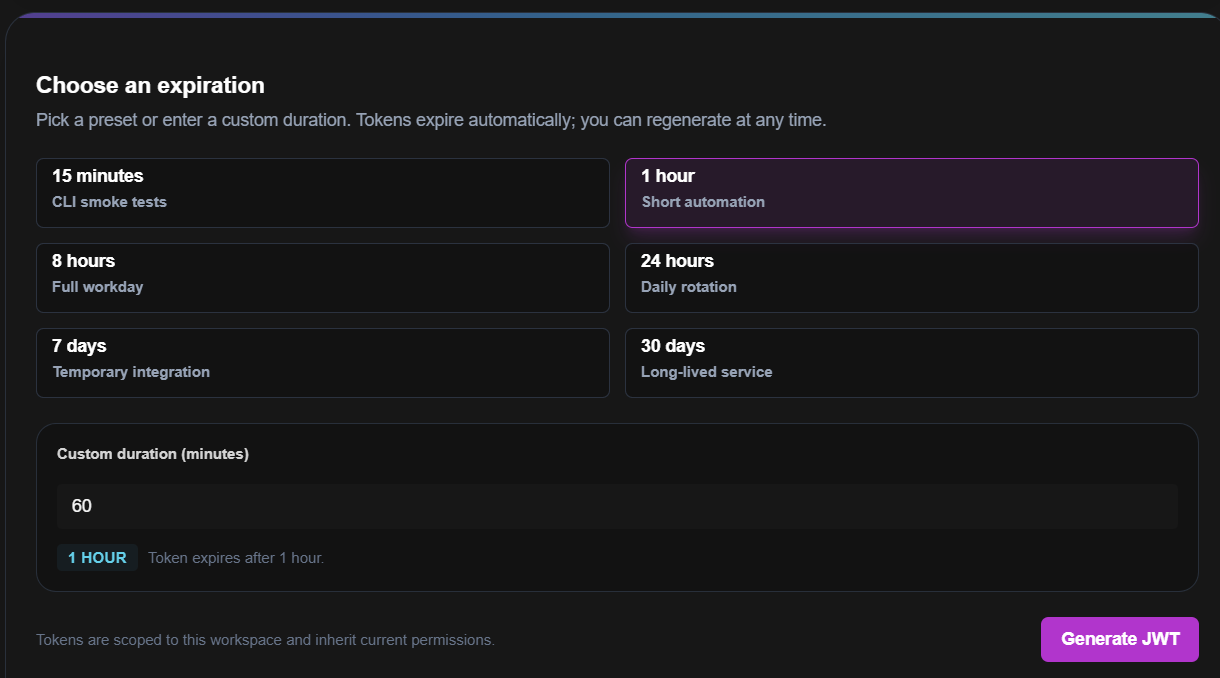
- Choose an expiration preset (15min to 30 days)
- Click Generate JWT
- Copy the token immediately (it won't be shown again)
Thinking Tip:
Treat tokens like passwords. Never commit them to source control.
Calling Your API
cURL
curl -X GET 'https://www.openindustrial.co/api/workspaces/explorer/warm-queries/temperature-avg' \
  -H 'Authorization: Bearer YOUR_TOKEN'
JavaScript
const response = await fetch(
  'https://www.openindustrial.co/api/workspaces/explorer/warm-queries/temperature-avg',
  { headers: { 'Authorization': `Bearer ${TOKEN}` } }
);
const data = await response.json();
Python
import requests

response = requests.get(
    'https://www.openindustrial.co/api/workspaces/explorer/warm-queries/temperature-avg',
    headers={'Authorization': f'Bearer {TOKEN}'}
)
data = response.json()
Response Format
{
  "query": "temperature-avg",
  "executedAt": "2026-01-18T10:45:00Z",
  "results": [
    { "timestamp": "2026-01-18T10:00:00Z", "avg_temp": 68.2 },
    { "timestamp": "2026-01-18T10:05:00Z", "avg_temp": 68.5 }
  ],
  "governance": {
    "queryApprovedBy": "user@example.com",
    "queryApprovedAt": "2026-01-18T09:30:00Z"
  }
}
Notice the governance metadata. Every response includes attribution—who approved the query and when.
Integration Destinations
| Tool | Guide |
|---|---|
| Power BI | Power BI Integration → |
| Grafana | Grafana Integration → |
| MCP-native AI | MCP Guide → |
| Custom apps | REST calls as shown above |
Rate Limits
| Tier | Requests/min | Concurrent |
|---|---|---|
| Free | 60 | 5 |
| Pro | 600 | 20 |
| Enterprise | Custom | Custom |
Next Steps
| If you want to... | Go to... |
|---|---|
| Connect Power BI | Power BI → |
| Connect Grafana | Grafana → |
| Connect any AI | MCP Guide → |
| Manage API keys | Security → |