Save vs Commit
Goal: Understand the two-stage workflow for changes.
The Two Stages
| Stage | What Happens | Who Sees It |
|---|---|---|
| Save | Changes stored as draft | Only you |
| Commit | Changes deployed to production | Everyone |
Why Two Stages?
1. Safe Experimentation
- Try changes without affecting production
- Revert easily if something doesn't work
- Test before committing
2. Governance
- All commits are logged
- Reviewable history
- Attributable changes
3. Collaboration
- Multiple people can have drafts
- No conflicts during development
- Merge when ready
Saving Changes
When you modify anything (connection, surface, warm query):
- The Save icon (top-left, floppy disk) glows purple/magenta
- This indicates uncommitted changes
- Click the Save icon to commit your changes
Thinking Tip:
Drafts persist across sessions. Close the browser, come back later—your work is still there.
Committing Changes
When you're ready to deploy:
Option A: Using the UI
- Click the Save icon (top-left) - the purple glow indicates uncommitted changes
- Changes are committed to the workspace
- A green checkmark appears near the Deploy button when ready
- Click Deploy to push changes to production
Option B: Ask Azi
What Gets Committed
| Resource | Committed |
|---|---|
| Connection configs | ✓ |
| Surface definitions | ✓ |
| Warm query code | ✓ |
| API configurations | ✓ |
| Role assignments | ✓ |
Not committed: Runtime data, logs, metrics
Viewing History
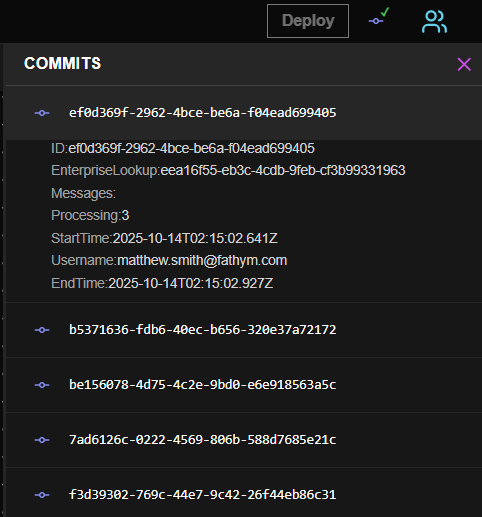
- Click the History icon
- See all commits with:
- Who committed
- When
- What changed
- Commit message
Every change is tracked. If something breaks, you can trace exactly what changed and who changed it.
Reverting Changes
Discard Draft
- Click the draft indicator
- Select Discard Changes
- Confirm
Revert Commit
- Go to History
- Find the commit to revert
- Click Revert
- Creates a new commit that undoes changes
Best Practices
| Practice | Why |
|---|---|
| Save frequently | Don't lose work |
| Meaningful commit messages | Easier to understand history |
| Small commits | Easier to revert if needed |
| Review before committing | Catch mistakes early |
Next Steps
| If you want to... | Go to... |
|---|---|
| Navigate the interface | Navigation → |
| Learn about permissions | Permissions → |
| Create a warm query | Warm Queries → |