The 6-Step Quickstart
This quickstart takes you from raw data to governed API to any MCP-native AI. Along the way, you'll see how Azi proposes actions and how you stay in control of every decision.
The climax: Step 6 connects Claude, Copilot, or any MCP-native AI to your governed data. This is "Bring Any AI" - proven, not promised.
What You'll Build
By the end of this quickstart:
- Data flowing from a simulator into your workspace
- Surface connected as your execution boundary
- Warm query built collaboratively with Azi
- API endpoint ready to integrate anywhere
- Any AI connected via MCP to your governed data
This is the Control Plane pattern: Connect any MCP-native AI, govern every action, keep a complete audit trail. Step 6 proves "Bring Any AI" is real - Claude, Copilot, Replit, all connect to YOUR governed data.
The 6 Steps
| Step | What You Do | What Happens |
|---|---|---|
| 1. Create Connection | Define your data entry point | Connection node appears on canvas |
| 2. Get Data Flowing | Attach simulator or real device | Live telemetry starts streaming |
| 3. Connect to Surface | Route data to execution boundary | Data "spills onto" surface |
| 4. Build Query with Azi | Create query and build with Azi | Azi proposes KQL, you approve |
| 5. Use Your API | Get endpoint and credentials | Call from anywhere |
| 6. Connect Any AI | Configure MCP-native AI | Claude, Copilot, any AI connects |
Each step offers two paths: drag-and-drop OR ask Azi. Both lead to the same result - you choose based on preference.
Prerequisites
Before starting:
- OpenIndustrial account - Sign up if you haven't
- Workspace access - You'll see it after login
No Azure configuration required for this quickstart - we'll configure a simulator to generate test data.
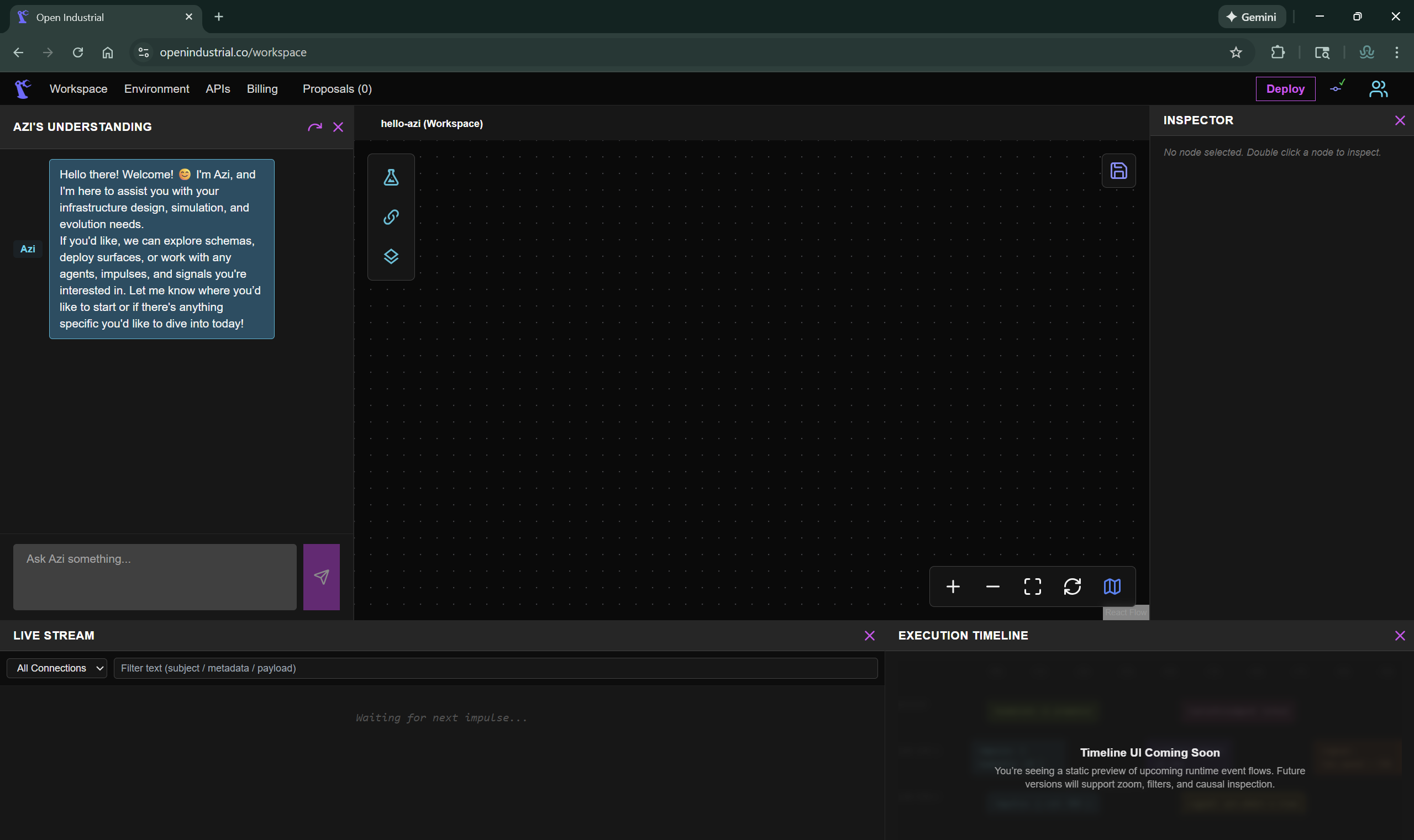
Getting to Your Workspace
- Go to openindustrial.co
- Log in with your credentials
- You'll land on your workspace - the canvas where you'll build
About Azi
Throughout these steps, you'll see how Azi works:
- You describe what you want in plain English
- Azi proposes the specific action (query, connection, etc.)
- You review the proposal with full context
- You approve (or reject, or edit)
- System executes only after your explicit approval
This is governed AI. Not autonomous AI.
Azi Context Levels
Azi adapts to where you are in the workspace:
| Context | What Azi Knows | Panel Title |
|---|---|---|
| Workspace | All connections, surfaces, high-level structure | "AZI'S UNDERSTANDING" |
| Surface | Data flowing to this surface, queries within it | "AZI'S UNDERSTANDING" |
| Query Manager | Specific query details, KQL, results history | "WARM QUERYS WITH AZI" |
Every Azi interaction is logged. Full audit trail. Attribution to the approver.